
Hit your numbers without guessing.
ZMacros learns what you really burn from your own logs and weigh-ins, then keeps your calorie target honest. Logging takes seconds: scan a barcode, snap a photo, or copy yesterday's breakfast in one tap.
Coming soon to iPhone
Coming soon to iPhone; Android later. Free to start. See features · Pricing
Adapts to you
A target built from your own data.
Formulas guess your burn. ZMacros estimates it from what you log and how your weight moves, and only changes your target when the evidence is good enough.
Example data, not a real user's results.
Reads your logs and weigh-ins
What you ate, compared with what your weight actually did. Half-logged days count for less.
Works out what you burn
Your own number, not a formula's average, shown as a range with a plain confidence level.
Moves your target carefully
Small, measured changes as the evidence builds, and none while it's still guessing.
Nutrition
Macros, fibre and micros.
Protein, carbs, fat and fibre on the Today screen, with vitamins and minerals one tap away, so you can see what your food is actually short on.
- Protein, carbs, fat and fibreFree
- Vitamins and mineralsFree
- Where each number comes fromOn every food
- Logging offlineSyncs later
Activity
Every walk, on the map.
Walks and runs tracked by GPS, with distance, pace and time, and steps from Apple Health counted once.
- GPS walks and runsFree
- Pauses when you stopFree
- Steps and health dataFree
- Workout-day caloriesIf you want
Premium training
It tells you what to lift next.
Sixteen programs matched to your goal. Each set is compared with last time, the next weight is suggested with the reason why, and records, rest and history are kept for you.
- 16 goal-matched programsPremium
- Next-set weight suggestionsPremium
- Records and workout historyPremium
- Rest timer with lock-screen alertPremium
Make it yours
Your app, your way.
ZMacros is built to look and work the way you like. Change how it looks, and choose which parts of your screens you see and in what order. These are real app settings. Try changing the look and moving things around on the phone; nothing here is saved.
Change the look
- Light, Dark, or follow your phone.
- Any accent colour, from presets or a colour wheel, or let the app pull colours from your photo.
- A plain background, a custom background colour, or your own photo from your camera roll as the background.
- Info cards that are plain or frosted glass, with a slider for how clear the glass is.
- Compact, Default or Large text.
Arrange your screens
- Tap Edit on Today or Progress to drag sections into the order you want, or move them with the arrows.
- Hide the parts you do not need, such as Macros, Steps, By meal, Weight or Vitamins & minerals, and bring them back any time.
- Tap Done to save your layout. Try the Layout buttons above to see it.
Try it
Tap around the app.
Use the tab bar in the phone to move between screens. It is a made-up day, not your data, and nothing you do here is saved.
2 workouts this week
Next: Upper A
Grey dots are weigh-ins. The line is your trend from 6 weigh-ins.
From 86.0 kg at your first weigh-in to 78.0 kg
Inside the app
Real screens from the app.
01 / 05
-
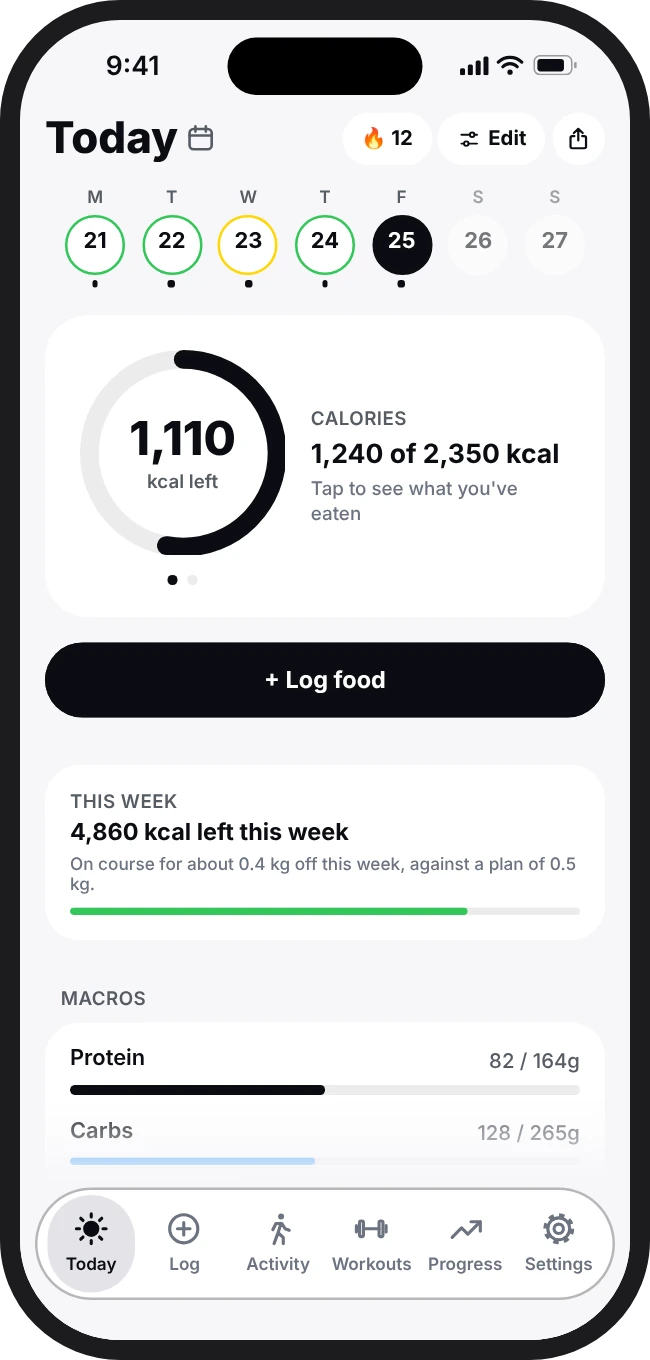
TodayWhat is left today, your week and your macros.
-
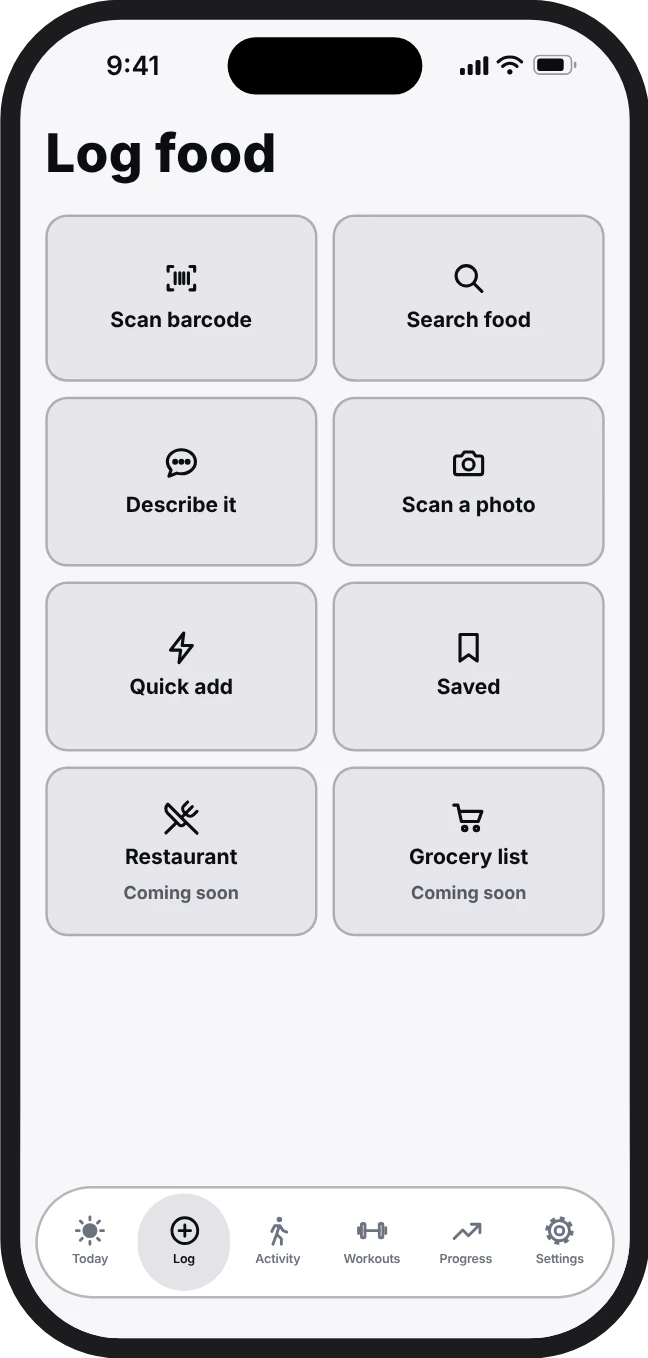
LogSearch, scan, snap a photo or describe it in words.
-
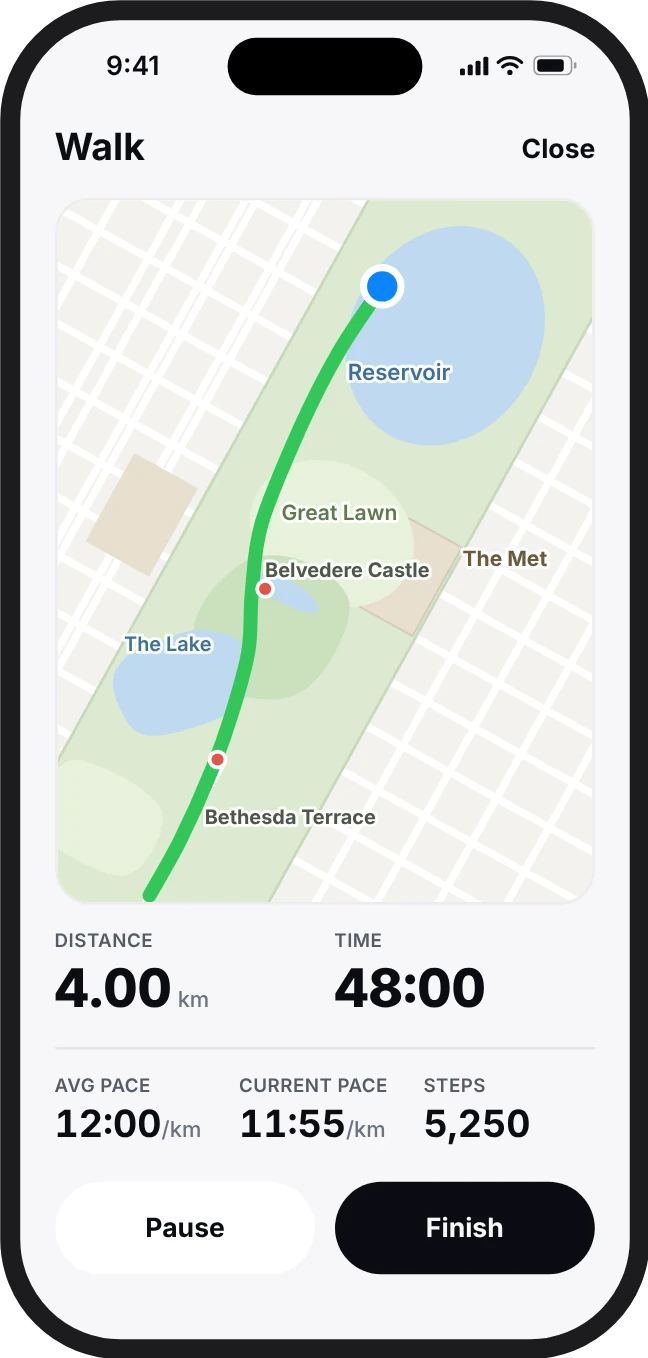
ActivityGPS walks and runs with distance, pace and steps.
-
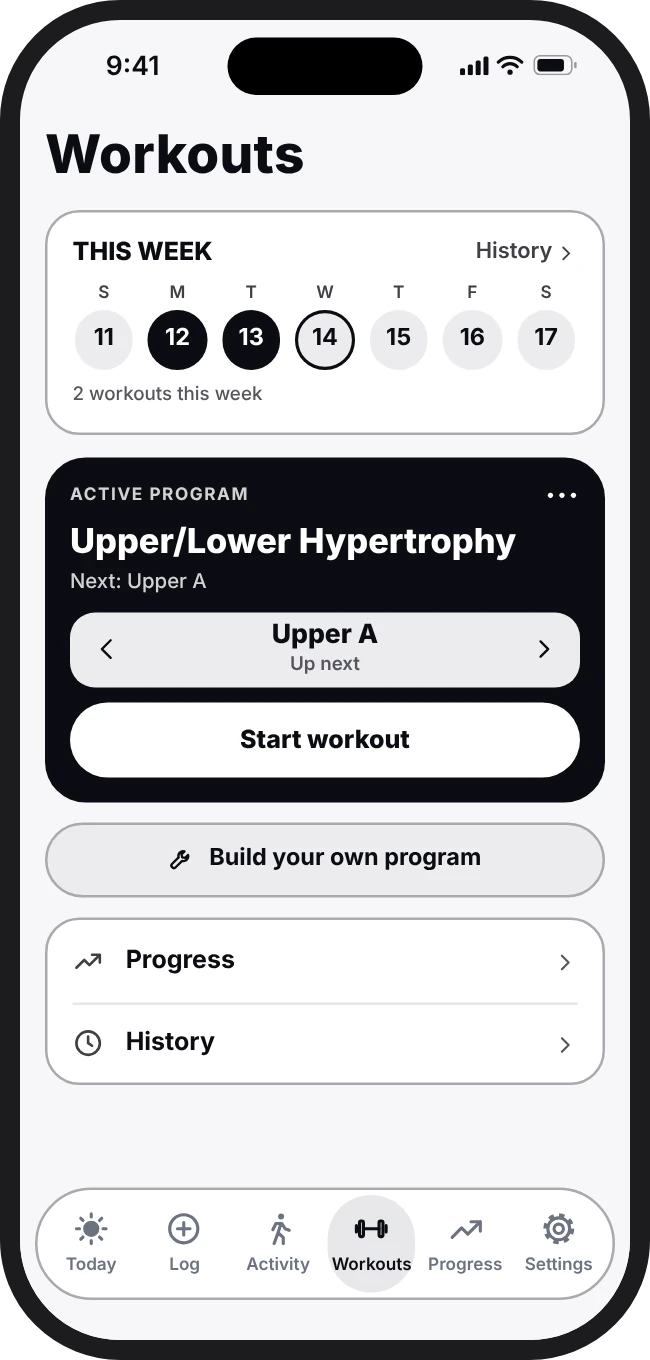
WorkoutsYour program, a rest timer and the next weight to try.
-
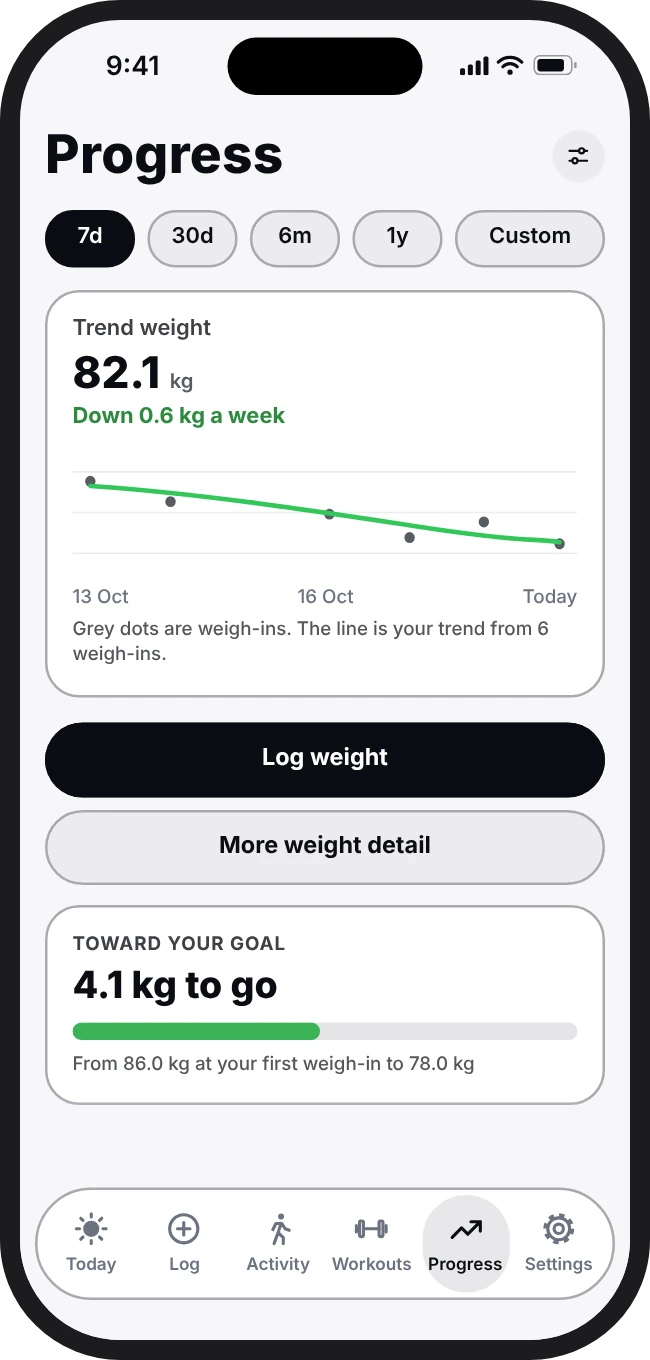
ProgressA steady weight trend and your goal date.
Example data, not a real user's results.
And the rest
Everything you need to track properly.
- Goal date
- When you'll reach your goal at your real rate, with how sure that is.
- Plateau check
- Checks whether a stall looks real or is just water weight before changing anything.
- Weekly view
- Your week's average against target, so one big day doesn't spoil it.
- Data sources
- Each food shows where its numbers came from.
- Activity
- Steps from Apple Health, plus GPS walks and runs.
- Export and backup
- Export your data whenever you like, on every plan.
- Your account
- Delete it and its data from the app at any time.
Reviews
What people say
ZMacros hasn't launched yet, so there are no reviews to show. Real reviews from App Store users will appear here after launch.
Pricing
Start free.
The core of the app, adaptive targets included, never needs a subscription.
Free
$0
Includes 1 welcome scan
Track food, weight and targets properly.
Includes
- Unlimited barcode scanning, search and describe logging
- Adaptive targets and weight trend
- Macros, fibre, vitamins and minerals
- 1 welcome AI photo scan (18+), plus optional rewarded ads to earn more
- Small ads, marked "Ad"
Premium Most complete
$9.99 / month
or $65 a year
For training as well as eating.
Everything in Free, plus
- 500 AI photo scans a month (Free: 1)
- No ads
- 16 workout programs matched to your goal
- Next-set weight suggestions that show their working
- Personal records, rest timer and full workout history
- Animated card styles
Prices in US dollars. Final price is what your App Store or Google Play account shows, and taxes vary by country. Subscriptions renew automatically until cancelled in the App Store or Google Play; see the Terms and Refund Policy.
Do I need to pay to get adaptive targets?
No. Adaptive targets, barcode scanning and the weight trend are free. Paid plans add more AI photo scans (Free users can watch optional ads to earn extra ones) and, on Premium, workouts.
How accurate is photo logging?
A photo estimate is a starting point, not a lab result. Every portion comes back as a gram amount you can correct before you save it.
Can I use it offline?
Yes. Logging works without a connection and syncs later.
Can I delete my account?
Yes, any time, in Settings › Account › Delete account. You can also ask from the website.
Is ZMacros medical advice?
No. Its numbers are estimates to help you track. Talk to a doctor or dietitian about medical conditions, pregnancy or eating disorders.
Coming soon
Hit your numbers without guessing.
ZMacros is coming soon to iPhone; Android later. Free to start, with adaptive targets on every plan.